AI interior design generator
Restyle any room from a single photo
Upload a photo of your space and generate cohesive interior design concepts that keep the architecture, windows, and proportions exactly as they are. Change the furniture, palette, and lighting — see the room before you commit.
No subscription. Top up from $5. Pay only for what you generate.
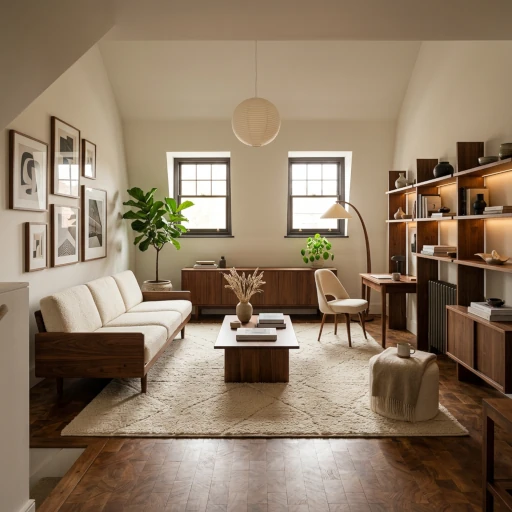
Recommended model
Nano Banana 2
Google Nano Banana 2 handles spatial editing well — it follows instructions like "keep the architecture exactly the same" while restyling everything inside the room. Strong at material textures, warm light, and editorial-magazine-style framing.
How it works
Step 1
Upload a photo of your room
Snap a phone photo. Wide framing helps — you want the windows, walls, and proportions visible so the model has the architecture to anchor to.
Step 2
Describe the look you want
"Warm Japandi with walnut furniture, cream upholstery, a wool rug, layered warm lighting." Naming a coherent palette beats a long list of styles.
Step 3
Lock the architecture
Add "preserve the architecture and window placement exactly as shown" to your prompt. Nano Banana 2 is good at this when you tell it explicitly.
Step 4
Iterate room by room
Generate variants by feeding any earlier result back in — try a different palette, swap the rug, change the time of day. Every iteration lives in the same thread.
Example prompts
Restyle this room as a warm modern interior — preserve architecture and window placement. Walnut furniture, cream upholstery, a wool rug, layered warm lighting, framed art, natural light, editorial interior magazine photography.

Tilt-shift miniature diorama of this interior space, shallow depth of field, soft warm lighting, hand-painted miniature feel, editorial photography.
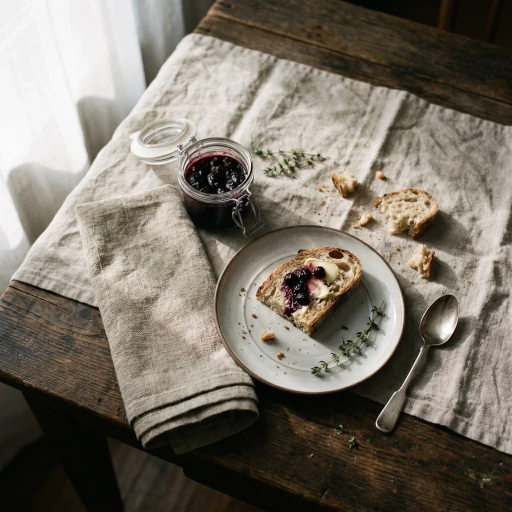
Overhead flat-lay styling, natural soft window light, oak surface, editorial colour grade, shallow shadow detail, unretouched.
Frequently asked questions
If you ask it to. Add "preserve the architecture and window placement exactly as shown" to your prompt — Nano Banana 2 handles that instruction well. Without it, the model is free to redesign the layout.
Yes. Click any past generation to feed it into the next prompt and try a different palette, era, or material set. Everything stays in one thread so you can compare.
Yes. Generated images are yours to use commercially — moodboards, client pitches, AirBnB listings, before/after content. No attribution required.
A wide phone photo with the windows and walls visible gives the model the most to anchor to. Avoid extreme close-ups — they don't show enough of the architecture.
Pay-as-you-go from $5. Most renders cost well under a dollar on Nano Banana 2 — fine for rapid iteration. Switch to a higher-resolution model when you want a presentation-grade output.
More ways to use Maejik
Ready to create something amazing?
Start with 40 free credits. No credit card required.
Get started free