Seedream 5 Pro vs Seedream 4.5: which should you use?
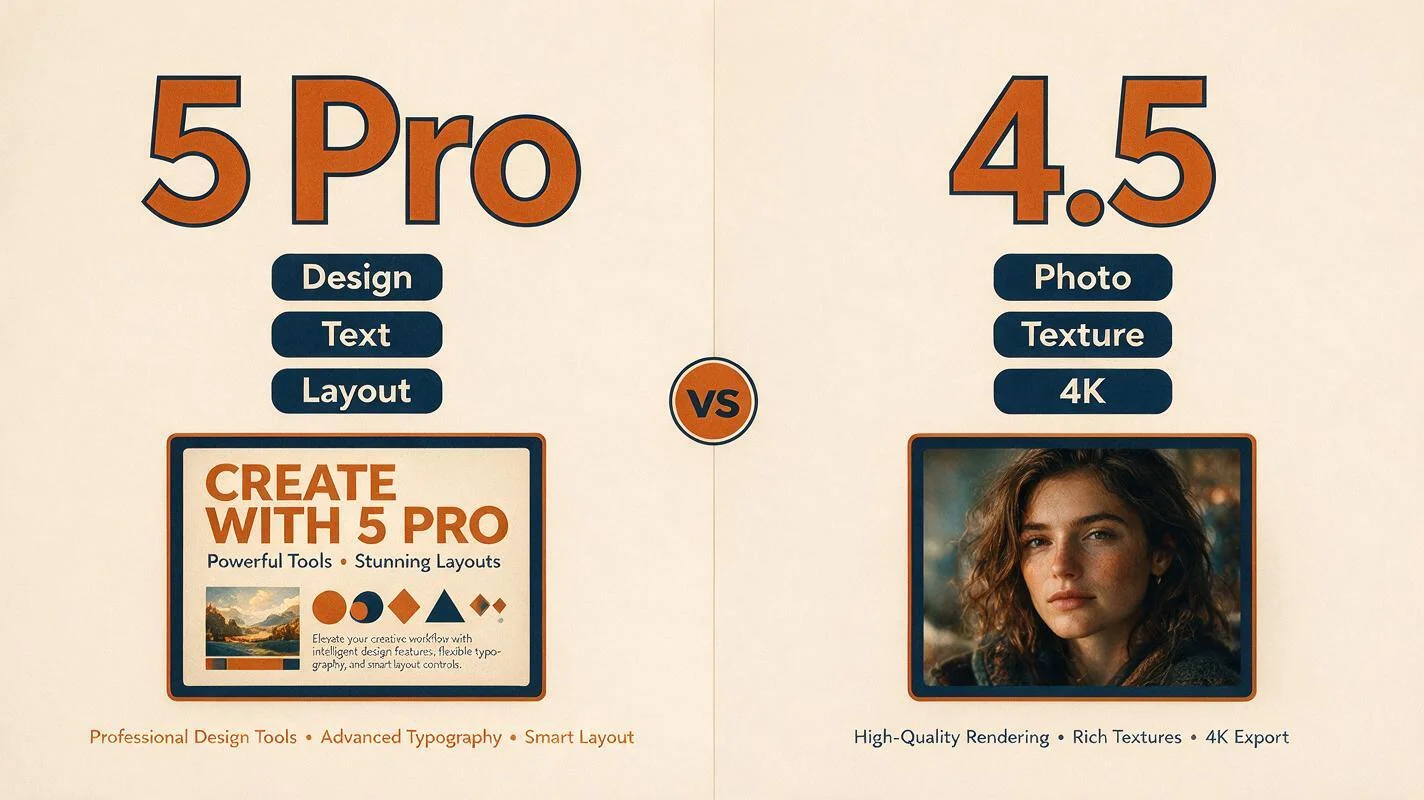
Seedream 5 Pro and Seedream 4.5 are built for different jobs — one for text-rich design and layout control, the other for photoreal detail and 4K output. Here's how to choose.
Maejik runs both Seedream 5 Pro and Seedream 4.5, and the newer number isn’t automatically the right pick. They’re built for different jobs. Seedream 5 Pro (sometimes written “5.0 Pro”) is a reasoning-aware design model — it plans a layout before it draws, renders legible multilingual text, and edits with precision. Seedream 4.5 is the photoreal workhorse — richer skin and material detail, and full 4K output. Here’s how to choose.
The short version
- Reach for Seedream 5 Pro when text, layout, or precise control is the point: posters, infographics, packaging, diagrams, multilingual signage, and edits where you need to change one element and hold everything else steady.
- Reach for Seedream 4.5 when photographic quality is the point: portraits, product photography, anything that lives or dies on skin, texture, and light — and anything you need at 4K for print or large-format.
If you only remember one line: 5 Pro for design, 4.5 for photography.
Where Seedream 5 Pro pulls ahead
Text and layout. Pro runs a reasoning pass over your prompt first, so it organises information before rendering. That’s what makes it strong at dense, structured visuals — infographics, data-visualisations, and posters come out with the text legible and the hierarchy intact.
Multilingual rendering. Pro renders native text across roughly fourteen languages, including Arabic, Japanese, and Korean, inside a single image. A storefront banner that needs three languages in one composition has no clean equivalent on 4.5 without manual post-production.
Precise, region-level edits. Pro is built for the edit-first workflow — change one element, keep the rest locked — and it can separate a composition into independently-editable layers rather than baking everything flat.
Positional control. Tell Pro top-left, centred, along the bottom edge, and it holds to it. If you’re briefing a layout rather than hoping for one, that control is the whole game.
Where Seedream 4.5 is still the better pick
We’d rather you get the right result than always reach for the newest model — and 4.5 wins clearly in a few places.
Photorealism and texture. 4.5 produces more convincing skin, fabric, and material surfaces, with softer, more natural lighting transitions. For portraits and product photography, it’s the stronger choice — Pro’s output can read as more obviously AI-generated on those subjects.
4K and print. In Maejik, Seedream 5 Pro renders at 1K and 2K; Seedream 4.5 renders at 2K and 4K. If you need print-ready or large-format output, that’s a hard ceiling, and it points straight at 4.5.
Complex scenes and poses. On busy compositions with many elements or demanding human poses, 4.5 tends to hold anatomy and spatial relationships together more reliably. BytePlus itself has been candid that Pro still has “room to improve in finer-grained text rendering and pixel-level editing consistency” — worth knowing before you commit a tricky scene to it.
A quick decision guide
| If you’re making… | Use |
|---|---|
| A poster, flyer, or packaging design | Seedream 5 Pro |
| An infographic, chart, or diagram | Seedream 5 Pro |
| Signage or graphics with non-Latin / multiple languages | Seedream 5 Pro |
| A precise edit that must preserve the rest of the frame | Seedream 5 Pro |
| A portrait or headshot | Seedream 4.5 |
| Product or food photography | Seedream 4.5 |
| Anything you need at 4K, for print or large format | Seedream 4.5 |
| A dense, multi-subject or complex-pose scene | Seedream 4.5 |
You don’t have to pick once
Both models live in the same Maejik studio, on one credit balance, and you choose per generation. Nothing stops you from drafting a layout on 5 Pro and shooting the hero image on 4.5 in the same thread — or trying one, clicking the result to feed it into the next prompt, and switching models mid-flow. There’s no subscription and no platform to switch between; you pay only for what you generate.
Want to get more out of either one? Read the Seedream 5 Pro prompt guide or the Seedream 4.5 prompt guide.
Ready to try them? Sign up — new accounts start with free credits, no card required.